New tool reignites debate over Windows AI screenshot feature and user privacy
A year after Microsoft unveiled a fortified version of its controversial screenshot-logging feature for Windows, a security researcher claims to have found an easy way to lift the digital lid once again. The discovery is renewing questions about whether the software maker’s most ambitious artificial-intelligence effort on the desktop can ever be considered truly safe for everyday users.
From disaster to redesign—and back in the spotlight
In early 2025 Microsoft paused the roll-out of “Recall,” an AI capability meant to help users locate anything they had seen on their PC by silently capturing encrypted screenshots every few seconds. Security experts quickly warned that the original design created an irresistible target for data thieves. Mounting backlash drove the company to postpone the feature for a full year while it engineered a new security model built around a locked “vault” guarded by Windows Hello biometric authentication and a Virtualization-based Security (VBS) enclave.
The revamped Recall finally reached a small test audience in March 2026. Microsoft promoted the makeover as proof that the firm had taken a “security-first” approach, echoing chief executive Satya Nadella’s internal directive that security must outweigh every other priority.
At the time, Redmond engineers declared that any malicious software attempting to piggyback on a user’s session would be blocked at the gate. “The vault is designed so that even if malware gains user-level access, it still cannot reach Recall data,” the company said in a technical blog post.
Enter TotalRecall Reloaded
Alexander Hagenah, a German cybersecurity specialist known for stress-testing Windows components, contests that claim. Last week he published TotalRecall Reloaded, an open-source tool that he says pierces the new defenses with minimal effort.
“The vault itself exists and is well constructed, but Microsoft stops the trust boundary too early,” Hagenah explained during a video demonstration. According to his research, the program can:
- Silently run in the background under standard user privileges.
- Trigger the Windows Hello prompt on demand, nudging the legitimate owner to unlock the enclave.
- Copy every screenshot Recall has ever stored—text, images, emails, banking details, private chats—once the brief biometric check is complete.
- Extract the most recently cached screenshot without any authentication at all.
- Erase the entire screenshot history to conceal its tracks.
Hagenah’s original 2024 prototype, simply called TotalRecall, exploited flaws in the first version of the feature. Microsoft credited that work when it built the current architecture. His new release is designed to prove that even the refreshed implementation cannot prevent what he calls “latent malware ride-alongs,” malicious apps that lurk quietly until the legitimate user unlocks Recall for normal use.
Microsoft’s response: “Working as intended”
The company acknowledges receiving Hagenah’s private report in March but disagrees that his findings reveal any product defect. “The access patterns demonstrated are consistent with intended protections and existing controls and do not represent a bypass of a security boundary,” said David Weston, corporate vice president of Microsoft Security.
Weston pointed to built-in timeouts and “anti-hammering” logic that limit how long external code can query Recall. In effect, Microsoft argues that if an attacker already has user-level access and can wait for a legitimate authentication event, the system behaves no differently than other areas of Windows where user consent opens the door to personal data.
Hagenah counters that claim with fresh evidence. By repeatedly sending carefully crafted calls to Windows, his tool can suppress or reset the vault’s time-out mechanism, he says. “I can re-poll the data endlessly. The anti-hammering measures are simply patched out,” he told fellow researchers. “The vault door is titanium, but the wall next to it is drywall.”
How Recall works—and why it worries experts
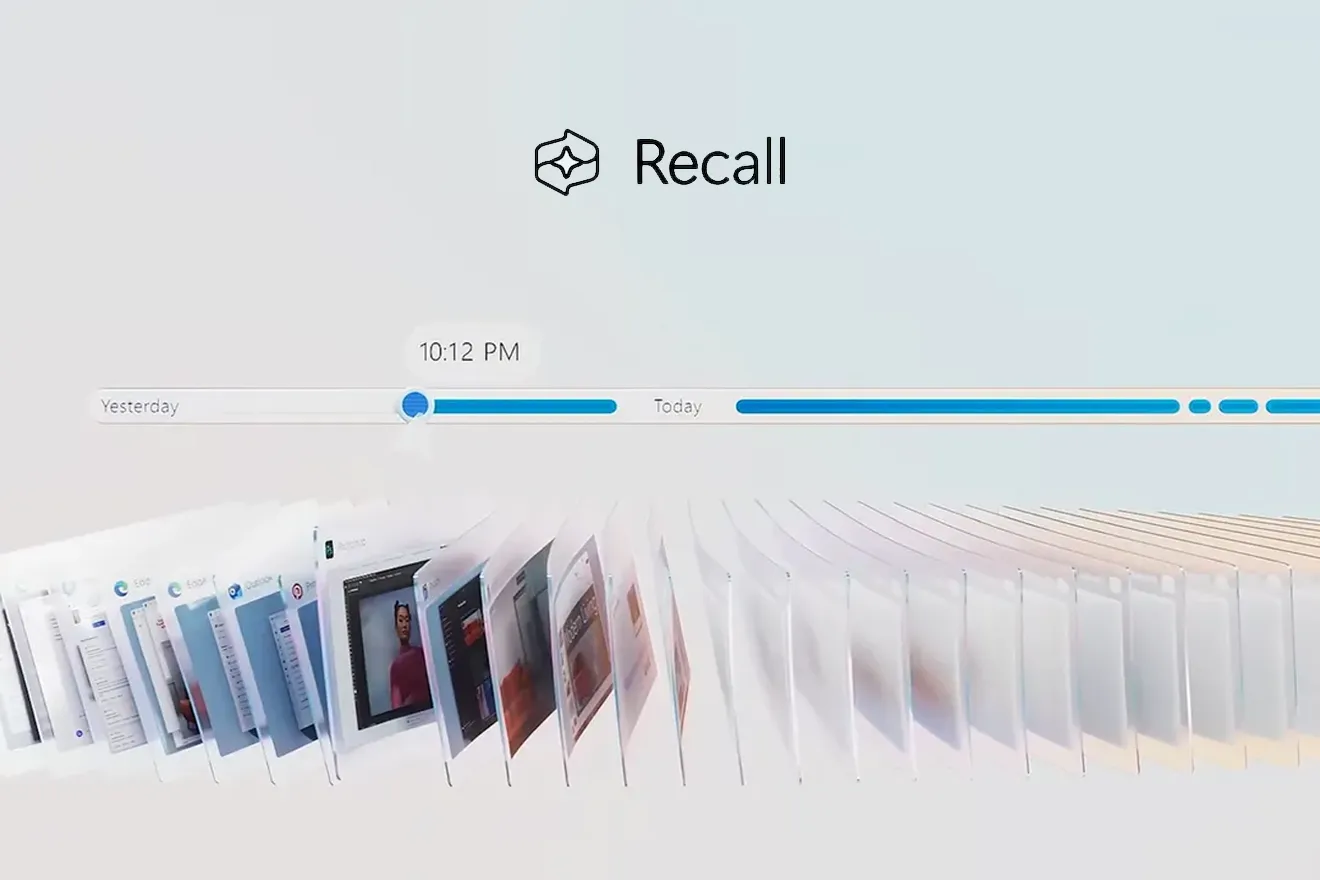
Recall continuously captures compressed snapshots of whatever appears on the local display. A background AI model then turns the visual data into searchable text and metadata, allowing users to type a few words and instantly retrieve the moment they saw it, even months later.
The result is a treasure trove of context that no ordinary keylogger or password stealer could match. A single Recall timeline can include:
- Complete email chains from multiple accounts
- Confidential business presentations
- OAuth tokens and QR codes
- Private messaging threads
- Bank statements viewed in a browser
- Health records opened in a PDF reader
Because the data is locally encrypted and never sent to Microsoft’s cloud, many consumers assumed it was inaccessible to third parties. Hagenah argues the opposite: any malware that slips past antivirus defenses and gains user permissions can seize an unrivaled catalogue of personal history.
Is this different from regular spyware?
Critics of Hagenah’s conclusions note that conventional spyware could simply take its own screenshots without relying on Recall. Microsoft echoes that view, adding that Windows already contains advanced memory protections, Smart App Control, and cloud-based intelligence to spot rogue processes.
Imagem: Microsoft
Yet defenders of Hagenah’s work insist that Recall supercharges the attacker’s payoff: instead of meandering through gigabytes of raw screen captures, a thief gets perfectly indexed, text-recognized entries that can be filtered for keywords like “password,” “SSN,” or “crypto wallet.” In short, Recall has done all the hard work.
The legal and ethical angle
Privacy attorneys warn that even if Microsoft’s design withstands technical scrutiny, the feature introduces new compliance headaches. Organizations bound by regulations such as GDPR, HIPAA, or PCI-DSS must now consider whether a screenshot containing protected data constitutes a separate data store, subject to new retention or deletion rules.
Microsoft says enterprise administrators can disable Recall entirely or control which apps and windows are exempt from capture. Still, security officers worry about employees who enable it on corporate laptops without explicit approval.
What users can do today
If you are running a preview build of Windows with Recall enabled, security professionals advise the following steps:
- Ensure your system is enrolled in Microsoft Defender’s advanced protection settings.
- Regularly review biometric authentication prompts; if one appears unexpectedly, cancel it and investigate running processes.
- Limit Recall’s scope via the privacy dashboard, excluding sensitive work applications.
- Consider pausing or disabling Recall until the debate settles.
- Keep Windows and all drivers updated, as Microsoft may issue silent patches even without acknowledging a vulnerability.
Looking ahead
The standoff highlights the shifting ground in consumer security. As operating systems embed deeper AI capabilities, the boundary between helpful context and invasive surveillance continues to blur. Microsoft’s gamble is that the value of never losing a snippet of on-screen information outweighs the theoretical risk of compromise. Researchers like Hagenah, however, believe the equation remains lopsided in favor of attackers.
Microsoft has not indicated any plan to alter Recall’s architecture in response to the new tool. Instead, the company reiterates that the feature is optional and protected by multiple layers of defense. Whether regulators, enterprises, and end users will accept that assurance could determine how widely Recall—or any future AI life-logging service—takes root on personal computers.
Frequently Asked Questions
What is Windows Recall?
An AI feature that continuously captures encrypted screenshots of everything displayed on a Windows PC, allowing users to search and retrieve past on-screen content with natural language queries.
Why is Recall controversial?
Because it stores a detailed, time-stamped history of private information—emails, passwords, financial data—that attackers could exploit if they bypass security measures.
What is TotalRecall Reloaded?
An open-source proof-of-concept created by researcher Alexander Hagenah. It demonstrates how malware could extract Recall’s data after coercing a legitimate Windows Hello authentication.
Has Microsoft acknowledged a flaw?
Microsoft says the behavior Hagenah describes is “consistent with intended protections” and does not constitute a security boundary bypass. It therefore does not classify the issue as a vulnerability.
Can I disable Recall?
Yes. In Windows settings, navigate to Privacy & Security > Recall and turn the feature off. Enterprise administrators can use group policy or mobile-device-management tools to enforce a blanket disablement.
Does this mean Windows is unsafe?
Not necessarily. The claim centers on how much additional risk Recall introduces compared with conventional spyware threats. Standard best practices—updated antivirus, careful software installation, and strong authentication—remain essential.